


Details
Compact & Portable Development Board Designed for QuecPython
Supports LTE Cat-1 / Bluetooth Communication, GNSS Positioning
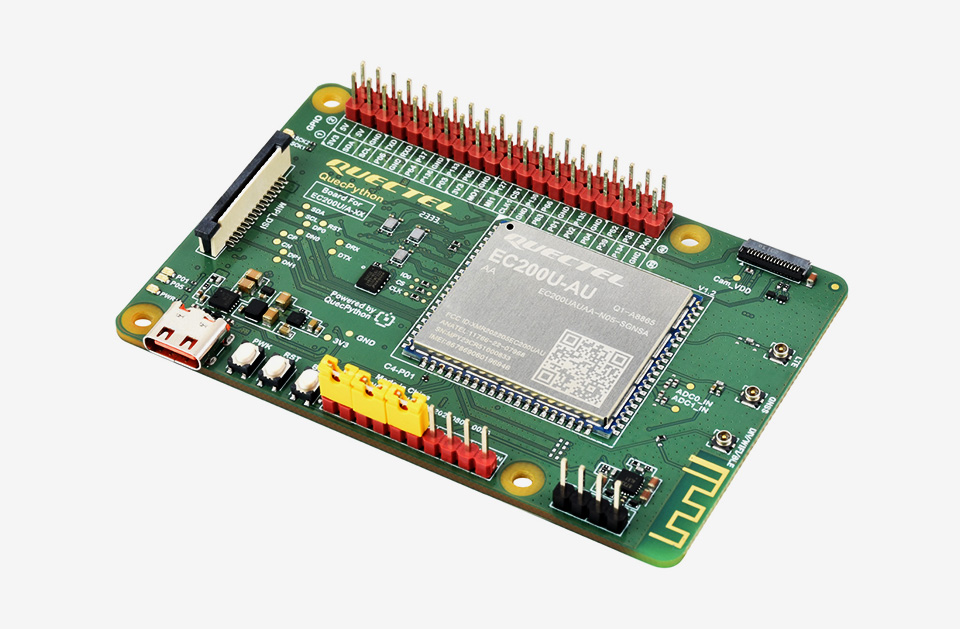
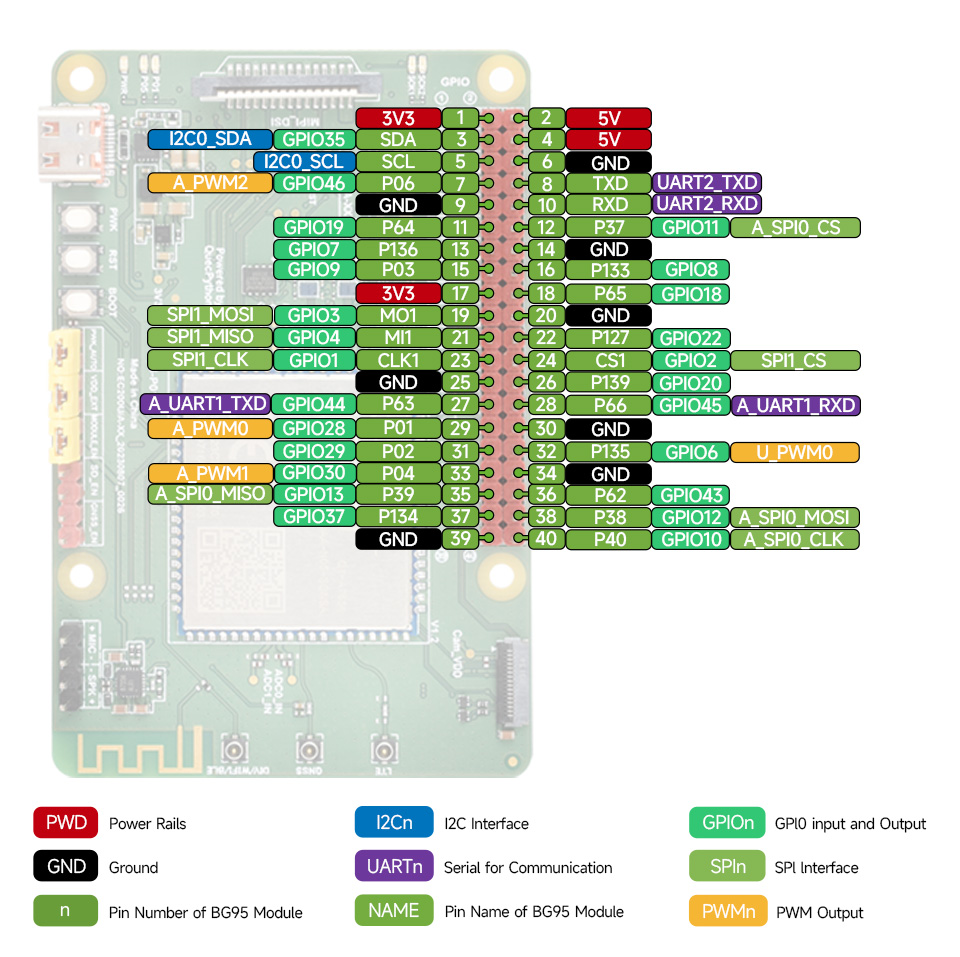
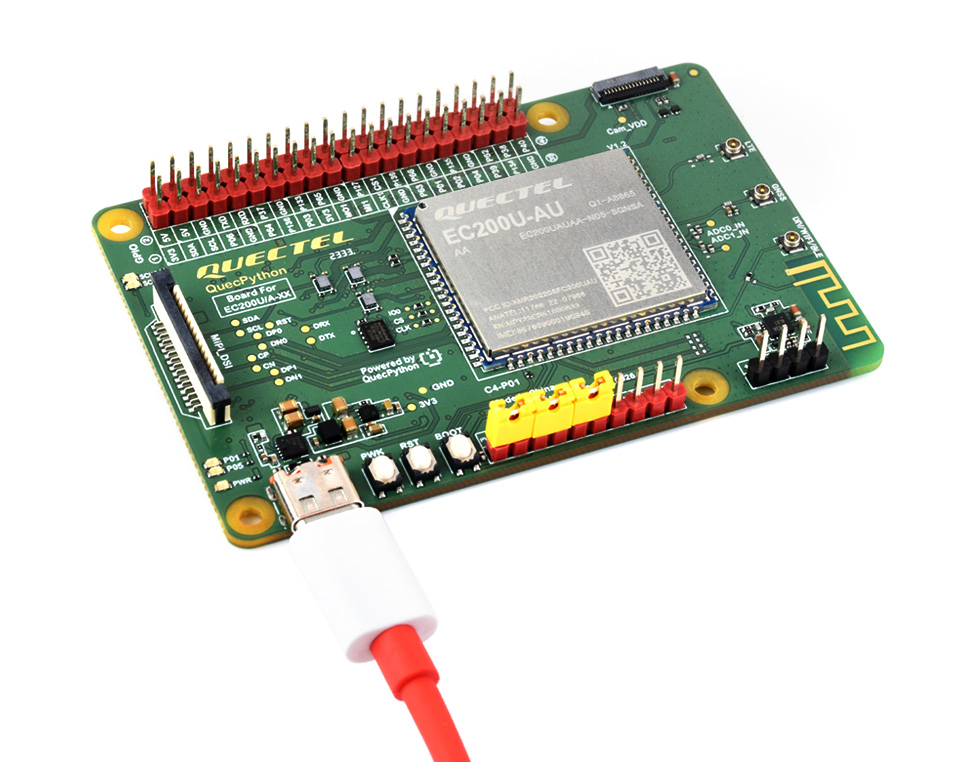
The EC200U-AU C4-P01 development board is equipped with EC200U-AU LTE Cat 1 wireless communication module, with maximum data rate up to 10 Mbps downlink and 5 Mbps uplink, supports multi-mode & multi-band and is cost-effective. Designed in the compact and unified form factor, compatible with Quectel multi-mode LTE Standard EC20-CE. Onboard Type-C port for easy development with just a USB Type-C cable. Onboard 40PIN GPIO pin header which is compatible with most Raspberry Pi HATs.
- Equipped with EC200U-AU LTE Cat 1 wireless communication module, multi-mode & multi-band support
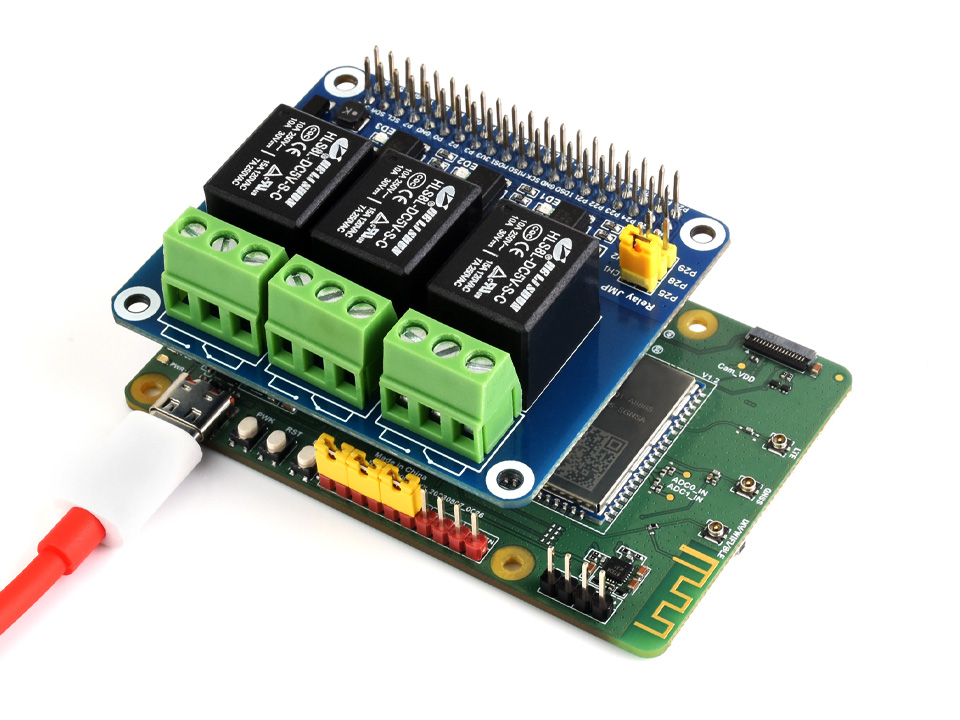
- Onboard 40PIN GPIO header, compatible with most Raspberry Pi HATs
- 5 LEDs for indicating module operating status
- Supports TCP, UDP, PPP, NITZ, PING, FILE, MQTT, NTP, HTTP, HTTPS, SSL, FTP, FTPS, CMUX, MMS protocols, etc.
- Supports GNSS positioning (GPS, GLONASS, BDS, Galileo, QZSS)
- Onboard Nano SIM card slot and eSIM card slot, dual card single standby
- Onboard MIPI connector for connecting MIPI screen and is fully compatible with Raspberry PI peripherals
- Onboard camera connector, supports customized SPI cameras with a maximum of 300,000 pixels
- Provides tools such as QPYcom, Thonny IDE plugin, and VSCode plugin, etc. for easy learning and development
- Comes with online development resources and manual (example in QuecPython)
| Model | BG95-M3 | EC200U-EU | EC200U-AU |
|---|---|---|---|
| Product Picture |  |  | 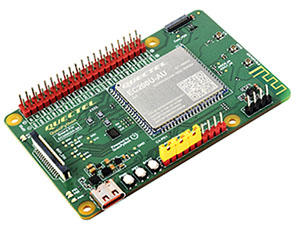 |
| Applicable Region | Global | Europe, Middle East, Africa, Australia, New Zealand, Brazil | Australia/Latin America |
| Frequency Band | |||
| LTE-FDD | Cat M1: B1, B2, B3, B4, B5, B8, B12, B13, B18, B19, B20, B25, B26, B27, B28, B66, B85 Cat NB2: B1, B2, B3, B4, B5, B8, B12, B13, B18, B19, B20, B25, B28, B66, B71, B85 | B1, B3, B5, B7, B8, B20, B28 | B1, B2, B3, B4, B5, B7, B8, B28, B66 |
| LTE-TDD | N/A | B38, B40, B41 | |
| GSM / GPRS / EDGE | 850, 900, 1800, 1900 MHz | GSM: B2, B3, B5, B8 | |
| GNSS | GPS, GLONASS, BDS, Galileo, QZSS | ||
| Bluetooth | N/A | Bluetooth 4.2 (BR/EDR) | |
| Wi-Fi Scan | N/A | 2.4 GHz 11b (Rx) | |
| Data transmission | |||
| CAT 1 | N/A | LTE-FDD: DL 10 Mbps; UL 5 Mbps LTE-TDD: DL 8.96 Mbps; UL 3.1 Mbps | |
| NB-IoT | Cat NB2: DL 127 Kbps; UL 158.5 Kbps Cat NB1: DL 32 Kbps; UL 70 Kbps | N/A | |
| Cat-M | DL 588 Kbps; UL 1119 Kbps | N/A | |
| GSM / GPRS / EDGE | EDGE: DL 296 Kbps; UL 236.8 Kbps GPRS: DL 107 Kbps; UL 85.6 Kbps | GSM: DL 85.6 Kbps; UL 85.6 Kbps | |
| Others | |||
| Type-C USB Port | Supports AT commands testing, GNSS positioning, firmware upgrading, etc. | ||
| Communication Protocol | PPP, TCP, UDP, SSL, TLS, FTP(S), HTTP(S), NITZ, PING, MQTT, LwM2M, CoAP, IPv6 | TCP, UDP, PPP, NITZ, PING, FILE, MQTT, NTP, HTTP, HTTPS, SSL, FTP, FTPS, CMUX, MMS | |
| SIM Card | Nano SIM card (supports 1.8V only) | Nano SIM and eSIM, dual card single standby | |
| Indicator | SIM_CHK: lights up when a SIM card is inserted into the card slot NET: Network indicator PSM: Sleep indicator PWM: PWM function indicator PWR: Power indicator | P01: Module Pin 1, default as EC200A-XX PWM0 P05: Module Pin 5, NET_MODE indicator SCK1: SIM1 detection indicator, lights up when SIM1 card is inserted SCK2: SIM2 detection indicator, lights up when SIM2 card is inserted PWR: Power indicator | |
| Buttons | PWK: Power ON/OFF PON: PSM wake-up BOOT: Forcing into firmware burning mode USB ON/OFF: USB power consumption detection switch | PWK: Power ON/OFF RST: Reset BOOT: Forcing into firmware burning mode USB ON/OFF: USB power consumption detection switch | |
| Antenna Connectors | LTE main antenna + DIV antenna + GNSS antenna | LTE main antenna + DIV / WIFI (scanning only) / Bluetooth antenna + GNSS antenna | |
| Operating Temperature | -30 ~ 75°C | ||
| Storage Temperature | -45 ~ 90°C | ||
easy to develop with just a USB Type-C cable
Compatible with most Raspberry Pi HATs
Provides tools such as QPYcom, Thonny IDE plugin, and VSCode plugin, etc. for easy learning and development

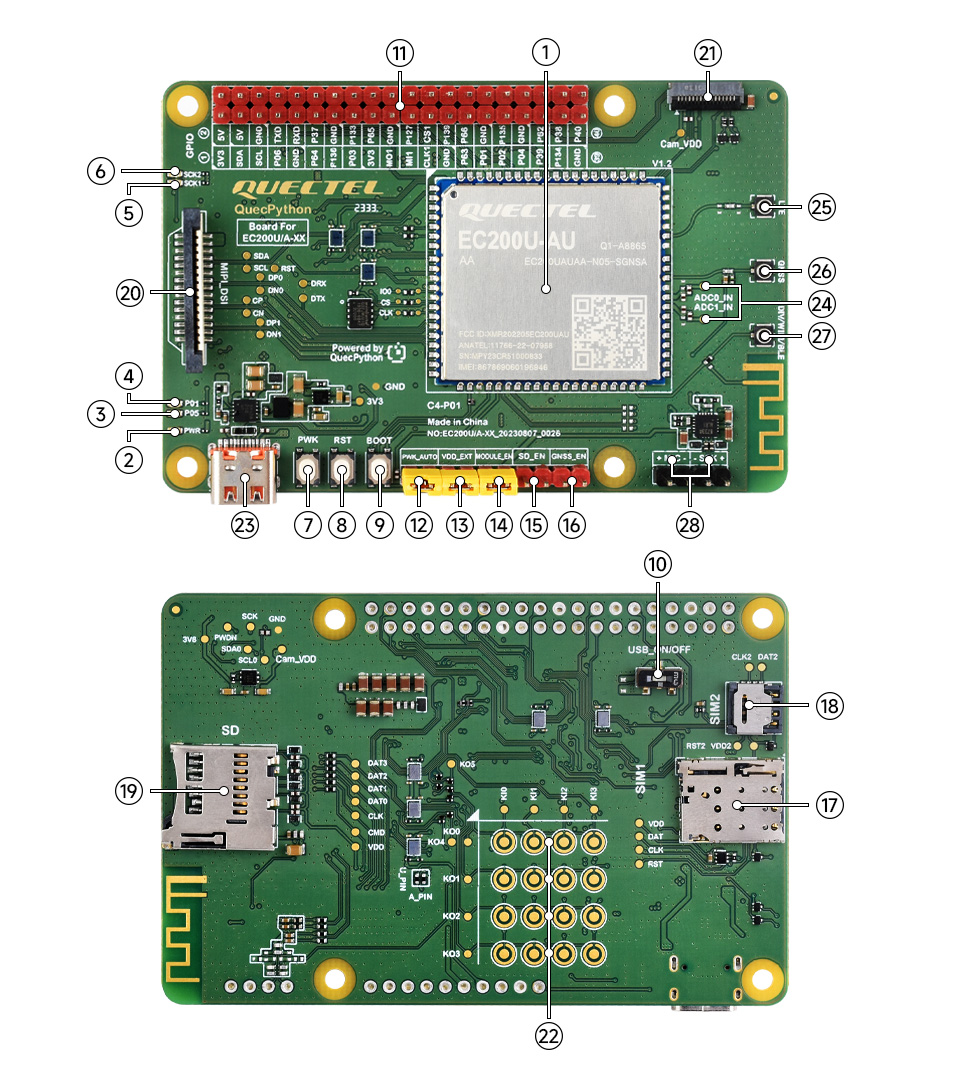
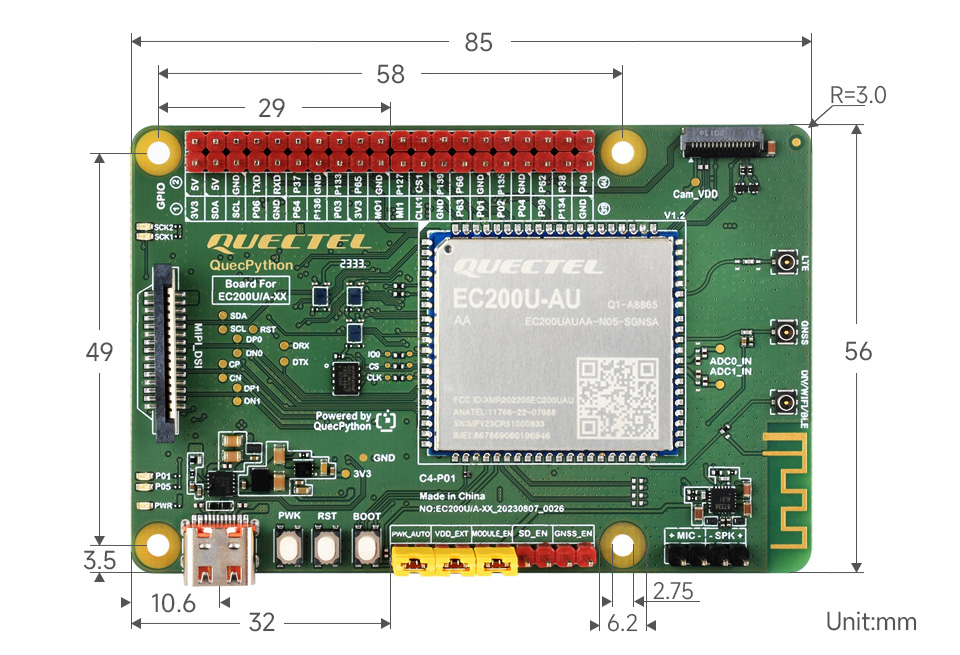
Onboard Components
- EC200U module
- PWR Power indicator
- NET Network indicator
- PWM function indicator
- SIM1 indicator
lights up when SIM1 card is inserted - SIM2 indicator
lights up when SIM2 card is inserted - Power ON/OFF button
- Reset button
- BOOT button
Press before powering on to force firmware burning mode - USB detection ON/OFF
Normally closed: USB can be connected normally;
Normally open: Type-C supplies power only to the evaluation board, used for module power consumption measurement
Interfaces
- Raspberry Pi GPIO Header
Compatible with Raspberry Pi HATs, for more details, please refer to Pinout Definition - Power ON/OFF jumper
Connect: auto turn on, short press PWK button to restart
Disconnect: short press PWK button to power on, long press to power off - 1.8V output jumper
Connect: outputs 1.8V externally
Disconnect: used to test power consumption - Module power supply jumper
Connect: DCDC to power the module
- SD power supply selection
Connect: enable SD power supply - GNSS active power supply selection
Connect: enable GNSS active power supply - SIM card slot 1
for Nano SIM card - SIM card slot 2
for eSIM card - SD card slot
Before using the SD card, enable SD power supply in the 10-Pin Header - MIPI interface
Supports MIPI LCD and is fully compatible with Raspberry Pi peripherals - Camera interface
Supports customized SPI cameras with a maximum of 300,000 pixels - Reserved matrix keyboard pads
users can customize soldering or connection of the keyboard buttons (Note: the keyboard buttons are not included by default) - USB Type-C port
- ADC testing points
ADC0_IN/ADC1_IN ADC measurement interface - LTE main antenna connector
- GNSS antenna connector
- DIV/Wi-Fi/Bluetooth antenna connector
- MIC & SPK header